Error Details:
The Execute method of job definition Microsoft.Office.Server.Search.Administration.IndexingScheduleJobDefinition - threw an exception. More information is included below.
Solution Details:
Step 1:
stsadm -o osearch -action stop
Warning: The Office SharePoint Server Search service that was enabled on this server will uninstall and all index files for all SSPs will be deleted. Are you sure you want to permanently delete all data in the index for all SSPs? [y/n]
NOTE: Only do this if you have not crawled / indexed content that cannot be re-indexed. If this is the case, then you open a support ticket with MSFT and work through it. Otherwise, hit Y
Step 2:
Now issue: stsadm -o osearch -action start -role index
You may receive the errror 'start' action failed. Additional information: the handle is invalid. Wait 30-60 secs and re-issue the command. It should go through fine.
Step 3:
Open Central Admin - select your SSP
Check / validate your search service configuration.
Friday, July 15, 2011


Tuesday, July 12, 2011
Steps to Change SharePoint Database "Server Name/IP Address"
Step 1: Login to SharePoint Application Server and Run SharePoint Production Wizard
Step 2: Disconnect the database from Application Server
Step 3: Login to the SharePoint Database Server and Change the Database Server IP Address/Server
Step 4: Open Microsoft Sql Server Management Studio
Step 5: Go to SharePoint_Config Database and Run the following command to change the Exist database IP Address/Server
Find Server Name/IP Address Command (ID Example only):
select * from Objects where id='E41F2DE6-4003-4F8F-BA3C-AFF155B1A643'
Update Server Name/IP Address Command (ID Example only) :
begin tran
update Objects set Name='pkravdb2.naieng.nai.org' where Id='E41F2DE6-4003-4F8F-BA3C-AFF155B1A643'
commit tran
Step 6: Again start run the SharePoint Product Wizard.
Thursday, May 12, 2011
Failed to get value of the “Attachments” column from the “Attachments” field type control. See details in log. Exception message: Guid should contain
Error Details:
Failed to get value of the “Attachments” column from the “Attachments” field type control. See details in log. Exception message: Guid should contain 32 digits with 4 dashes (xxxxxxxx-xxxx-xxxx-xxxx-xxxxxxxxxxxx)
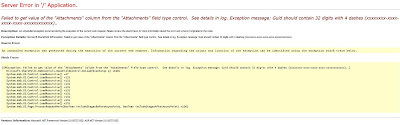
Failed to get value of the “Attachments” column from the “Attachments” field type control. See details in log. Exception message: Guid should contain 32 digits with 4 dashes (xxxxxxxx-xxxx-xxxx-xxxx-xxxxxxxxxxxx)


Sharepoint Error :
I have exprienced it loads of time when i create custom list form in newform.aspx or in editform.aspx .
The attachment error really makes too bad for the form when it gets customized.
Error will be of“Failed to get value of the “Attachments” column from the “Attachments” field type control. See details in log. Exception message: Guid should contain 32 digits with 4 dashes (xxxxxxxx-xxxx-xxxx-xxxx-xxxxxxxxxxxx)..”
The best and the easiest way to handle is that search for the custom list form name "ListForm" and just change the name alone to "ListForm2" thats it or anything of your kind.
thats it..
Monday, May 9, 2011
Migration SharePoint 2007 to SharePoint 2010
Migration SharePoint 2007 to SharePoint 2010
Prerequisites for migrating SharePoint 2007 site to SharePoint 2010:1. Check whether the packages (wsp features etc) in source server are same as in the target server (if not please install).
2. Check the web.config modifications made in the MOSS 2007 site (source site), if any do the same modifications on MOSS 2010 site (target site) accordingly.
Migration process:
The only process to migrate the site from SharePoint 2007 to SharePoint 2010 is the migrating contentDB of source site to target site.
Steps to follow for migrating ContentDB:
1. Take the backup of the source site contentDB and restore the same on target server.
2. Create the web application in SharePoint 2010, and then create the site collection (it doesn’t matter what site template you are using for creating site collection).
3. Once finished creating the SharePoint 2010 site, go to central administration --> Manage content databases --> select the web application you created for migration --> click on database --> check in the remove content database --> click ok
4. Add the restored database in the target site by using stsadm.exe in command prompt
Stsadm.exe –o addcontentdb –url “enter your url” –databasename “enter your db name”
5.Restart iis.
Tuesday, March 29, 2011
SharePoint Max URL Size
SharePoint Max URL Size Recently, we've had some discussions about the question whether the SharePoint 260 character URL limit is still in effect in SharePoint 2007. We thought we might write a little blog post about it providing an overview of some facts about SharePoint size limits... A site name is allowed to consist of a max length of 128 characters. You can create multiple sub sites but the maximum URL length of a sub site is 237. This length excludes the part apparently reserved for system files and folders. If you try to create a new page the system path /_layouts/newsbweb.aspx is added to the URL, which makes a total of 260 characters. After reaching that limit, you can still add lists and have subfolders in them. The max length of a doc library name is 255 characters. The max length of a folder name is 123 characters. The max length of a SharePoint URL including lists and folders is 256, excluding system files (for example, /Forms/AllItems.aspx). The max length of a SharePoint URL does not include the querystring portion. The max limit of the querystring portion depends on browser limitations. For example, MSIE 6 supports a total of 2047 characters (almost 2K), FireFox doesn't really seem to have a limit. To make our testing a little bit easier, we wrote a little tool called the 'URL Length Checker'. Everybody is welcome to download it and use it within their own test scenarios. The tool requires the presence of the .NET 2.0 framework. Download the URL Length Checker or download it's source.
Wednesday, March 23, 2011
URL's to Access SharePoint Pages
Here are some URL's to access pages in SharePoint. These URL are helpful to save time and hassles of clicking many times to reach a speicfied page:
The URL's are grouped based on the major functioanlity area:
Users and Permissions:
People and Groups: _layouts/people.aspx
Site Collection Admins: _layouts/mngsiteadmin.aspx
Advanced Permissions: _layouts/user.aspx
Master Pages: _Layouts/ChangeSiteMasterPage.aspx
Look and Feel:
Title, Desc, and Icon: _layouts/prjsetng.aspx
Navigation: _layouts/AreaNavigationSettings.aspx
Page Layout and Ste Templates: _Layouts/AreaTemplateSettings.aspx
Welcome Page: _Layouts/AreaWelcomePage.aspx
Tree View: _layouts/navoptions.aspx
Top Nav Bar: _layouts/topnav.aspx
Site Theme: _layouts/themeweb.aspx
Reset to Site Definition: _layouts/reghost.aspx
Searchable Columns: _Layouts/NoCrawlSettings.aspx
Site Content Types: _layouts/mngctype.aspx
Galleries
Site Columns: _layouts/mngfield.aspx
Site Templates: _catalogs/wt/Forms/Common.aspx
List Templates: _catalogs/lt/Forms/AllItems.aspx
Web Parts: _catalogs/wp/Forms/AllItems.aspx
Workflows: _layouts/wrkmng.aspx
Master Pages and Page Layouts: _catalogs/masterpage/Forms/AllItems.aspx
Regoinal Settings: _layouts/regionalsetng.aspx
Site Administration
Site Libraries and Lists: _layouts/mcontent.aspx
Site Usage Report: _layouts/usageDetails.aspx
User Alerts: _layouts/sitesubs.aspx
RSS: _layouts/siterss.aspx
Search Visibility: _layouts/srchvis.aspx
Sites and Workspaces: _layouts/mngsubwebs.aspx
Site Features: _layouts/ManageFeatures.aspx
Delete This Site: _layouts/deleteweb.aspx
Site Output Cache: _Layouts/areacachesettings.aspx
Content and Structure: _Layouts/sitemanager.aspx
Content and Structure Logs: _Layouts/SiteManager.aspx?lro=all
Search Settings: _layouts/enhancedSearch.aspx
Site Collection Administration
Search Scopes: _layouts/viewscopes.aspx?mode=site
Search Keywords: _layouts/listkeywords.aspx
Recycle Bin: _layouts/AdminRecycleBin.aspx
Site Collection Features: _layouts/ManageFeatures.aspx?Scope=Site
Site Hierachy: _layouts/vsubwebs.aspx
Portal Site Connection: _layouts/portal.aspx
Site Collection Audit Settings: _layouts/AuditSettings.aspx
Site Collection Policies: _layouts/Policylist.aspx
Site Collection Cache Profiles: Cache%20Profiles/AllItems.aspx
Site Collection Output Cache: _Layouts/sitecachesettings.aspx
Site Collection Object Cache: _Layouts/objectcachesettings.aspx
Variations: _Layouts/VariationSettings.aspx
Variation Labels: _Layouts/VariationLabels.aspx
Translatable Columns: _Layouts/TranslatableSettings.aspx
Variation Logs: _Layouts/VariationLogs.aspx
Site Settings: _layouts/settings.aspx
Variation Logs: _Layouts/VariationLogs.aspx
Site Settings: _layouts/settings.aspx
MOSS Search - Content for this URL is excluded
I recently faced this strange issue, some of the content in a site was not getting searched, no error. I executed full crawl several no. of times, but without success. Then I saw this warning in the crawl logs: "Content for this URL is excluded by the server because a no-index attribute".
Well for some items that were not being crawled the reason was my crawl rule was such, but for others like subsites itself could not understand what could be the cause.Then I looked into search visibility of those sites, and found that indeed the option for this web to appear in search results was set to NO. How simple, but it took me 3 hours to come to that setting :)
http:///SiteURL/_layouts/srchvis.aspx Sometimes critical problems have simple solutions!!!
Subscribe to:
Posts (Atom)